Librainian Invoice Features Explained: Payment, Status, Details & More
Want to understand how invoices work in Librainian? Learn all invoice features like payment tracking, status, student details, and more in this simple guide for library owners.
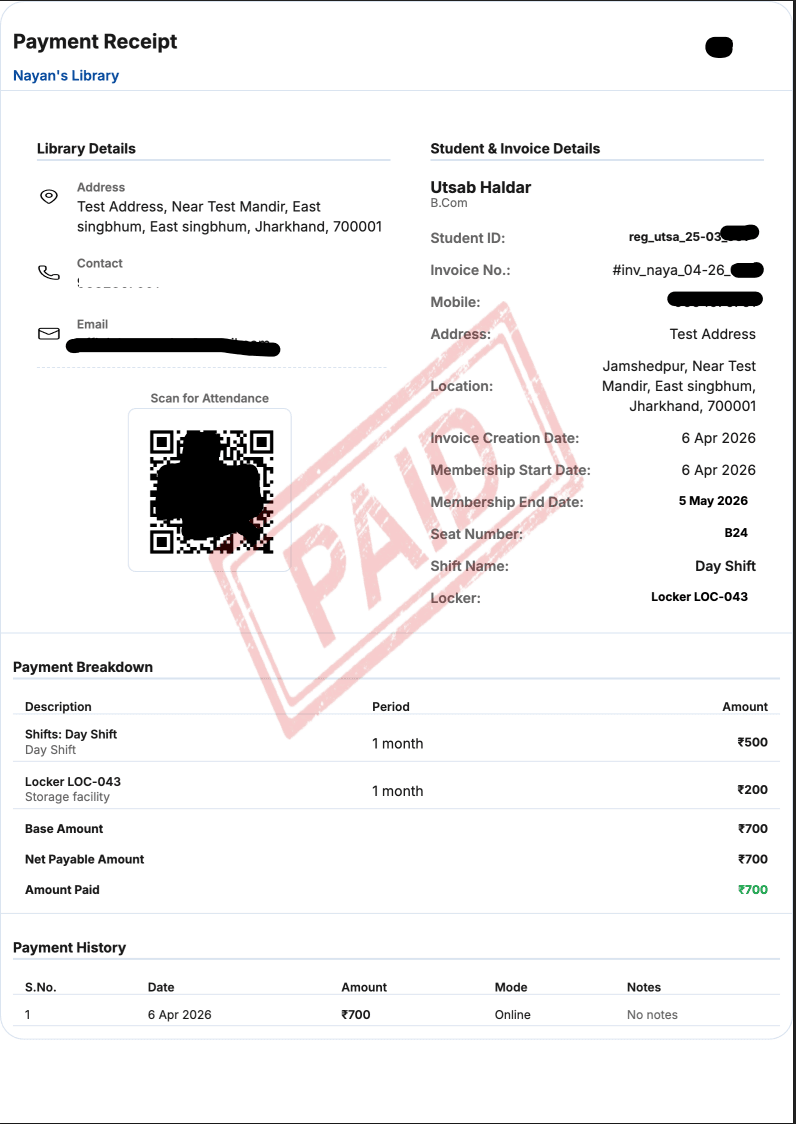
Running a library is not just about managing students—it’s also about managing accurate billing and payments. And if your invoice system is not clear, it can create serious problems like wrong reminders and payment confusion.
That’s why understanding the invoice system in Librainian is very important.
In this blog, we will explain each section of the Librainian invoice in a simple way, based on a real invoice structure, so you know exactly how it works.
1. Library Details for Your Identity
At the top of the invoice, you will see your library details, such as:
- Library name (example: Nayan’s Library)
- Address
- Contact number
2. Student & Invoice Details
Next comes the student and invoice section, which includes:
- Student ID
- Mobile number
- Invoice number
- Invoice creation date
This section ensures that every invoice is properly tracked and linked to the correct student.
3. Membership Details (Very Important)
This is where Librainian becomes very useful.
You will see:
- Membership start date
- Membership end date
- Period (example: 1 month)
This helps you clearly define how long the student’s plan is valid.
This is also important for:
- Renewals
- Payment reminders
4. Seat, Shift & Locker Details
One of the most powerful features is that Librainian connects seating and timing with invoices.
You will see:
- Seat Number (example: B24)
- Shift Name (example: Day Shift)
- Locker (example: LOC-043)
This means:
- You know exactly where the student will sit
- What time they will come
- Whether they have extra facilities like a locker
Everything is connected in one place.
5. Payment Breakdown (Clear Billing)
Now comes the billing part.
You will see:
- Base amount
- Additional charges (like locker)
- Net payable amount
This gives full clarity on how the total amount is calculated.
No hidden confusion.
6. Payment Status & Amount Paid
You will also see:
- Total amount
- Amount paid
This helps you instantly understand:
- Whether the payment is complete
- Or something is still pending
This is very important for managing your payment reminders correctly.
7. Payment History (Full Transparency)
Librainian also keeps a payment history section, where you can see:
- Date of payment
- Amount paid
- Mode of payment (example: Online)
If a student says “I already paid,” you can quickly verify it.
This avoids arguments and builds trust.
8. Extra Features
Your invoice may also include:
- Scan for Attendance (QR integration)
- Notes section
- These small features make the system more practical for daily use.
9. Why This System is Important
If you don’t use a proper system:
- Data can get mixed
- Payments can be missed
- Reminders can go wrong
But with Librainian:
- Everything is structured
- Everything is connected
- Everything is easy to track
This reduces mistakes and saves time.
Conclusion
Librainian invoices are not just simple bills. They are a complete management system that connects student data, seat, shift, and payments in one place.
If you understand and use these features properly, your library operations will become much smoother and more professional.
Recent Articles
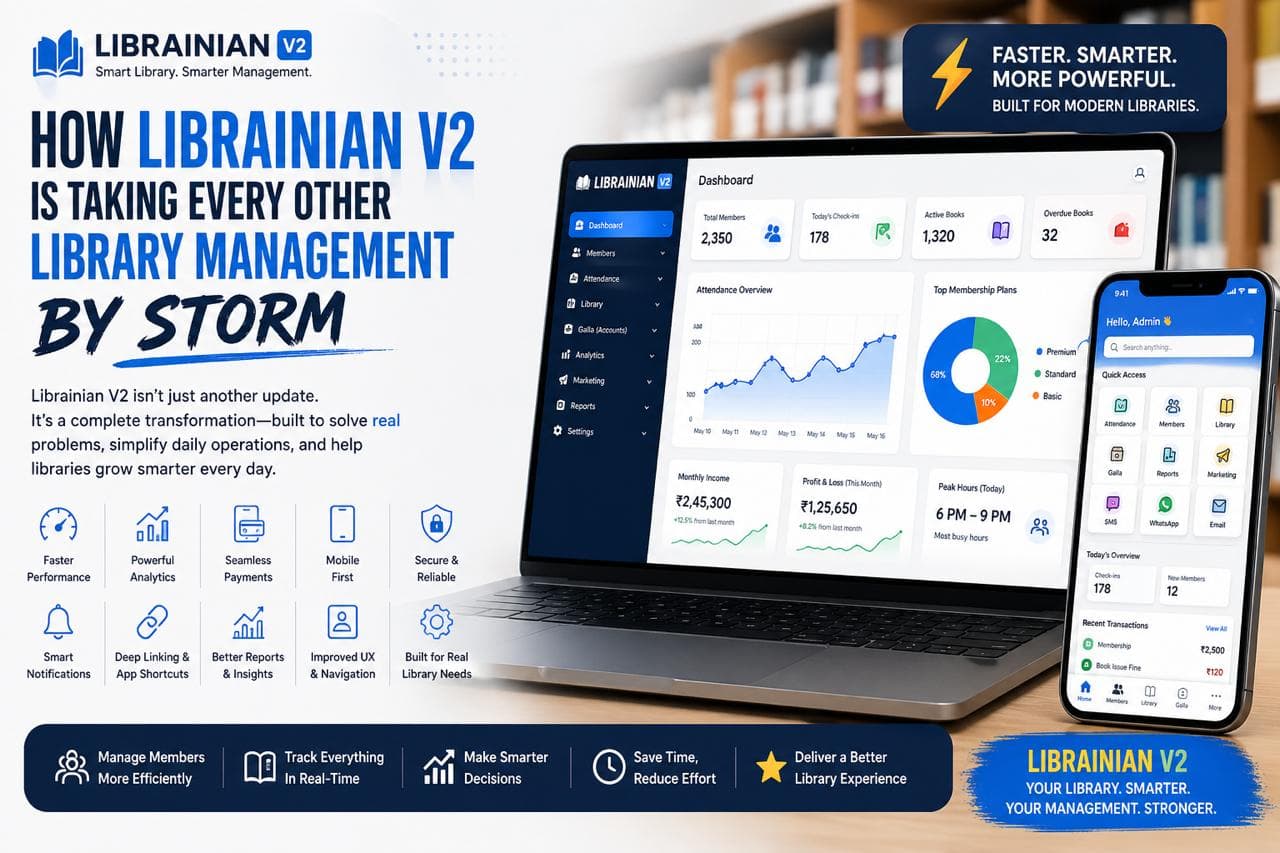
How Librainian V2 Is Changing Library Management
Librainian V2 is redefining how libraries are managed by combining faster performance, smart analytics, seamless payments, and a cleaner user experience. Built on real user feedback, it solves everyday problems like attendance tracking, billing, and communication—making library management simpler, more efficient, and truly digital.
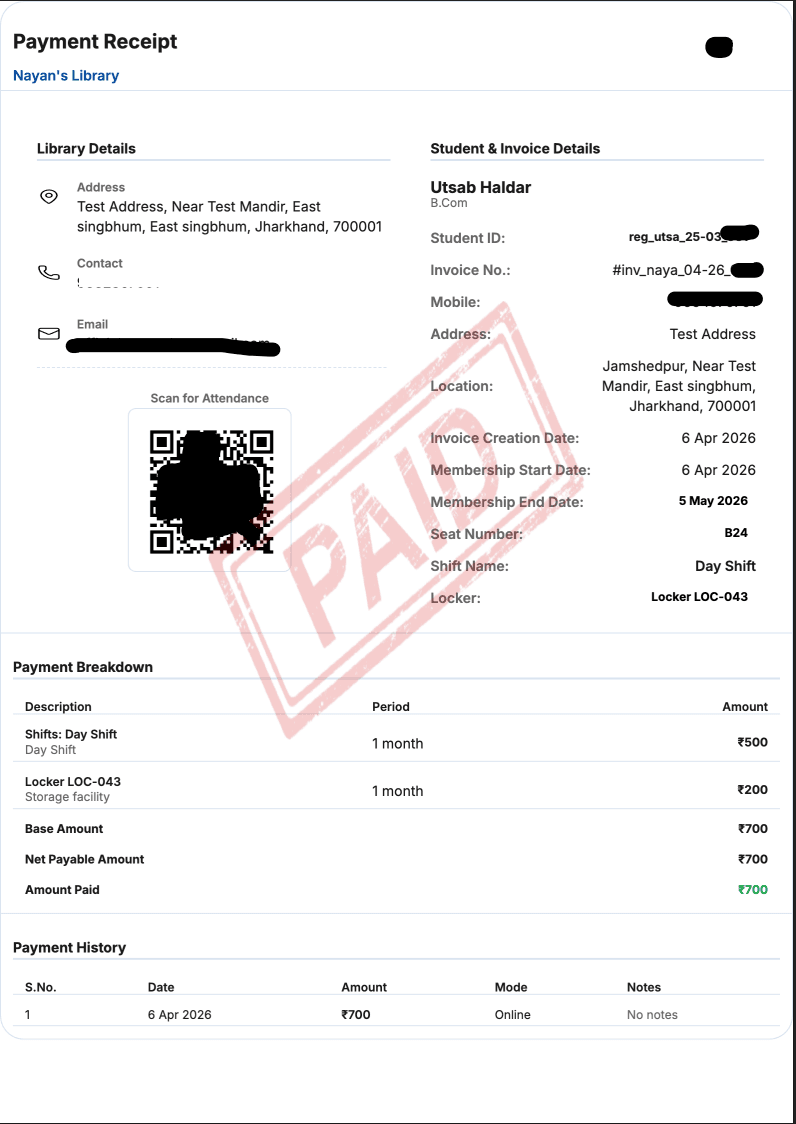
Librainian Invoice Features Explained: Payment, Status, Details & More
Want to understand how invoices work in Librainian? Learn all invoice features like payment tracking, status, student details, and more in this simple guide for library owners.

4 Simple Ways to Register Students in Librainian (Library Management App)
Struggling with student registration in your library? Learn 4 simple ways to register students in Librainian, the best library management app for easy and fast operations.

Best Library App on the Play Store for Smart Library Management
Looking for a powerful yet smart library management app? Discover how Librainian is helping library owners grow smarter with data-driven insights and modern tools.
🏆 Most Viewed Articles
How Librainian V2 Is Changing Library Management
Librainian V2 is redefining how libraries are managed by combining faster performance, smart analytics, seamless payments, and a cleaner user experience. Built on real user feedback, it solves everyday problems like attendance tracking, billing, and communication—making library management simpler, more efficient, and truly digital.
Librainian Invoice Features Explained: Payment, Status, Details & More
Want to understand how invoices work in Librainian? Learn all invoice features like payment tracking, status, student details, and more in this simple guide for library owners.
4 Simple Ways to Register Students in Librainian (Library Management App)
Struggling with student registration in your library? Learn 4 simple ways to register students in Librainian, the best library management app for easy and fast operations.
Best Library App on the Play Store for Smart Library Management
Looking for a powerful yet smart library management app? Discover how Librainian is helping library owners grow smarter with data-driven insights and modern tools.